

Top WordPress Security Tips Every Website holder Must Know
introduction about How to Prevent WordPress Website Hacks:
In 2025, cyber threats are more leading than ever & if you are running a WordPress website, you are automatically on a hackers radar. According to recent cybersecurity reports, over 90,000 WordPress websites are hacked every day. But here the good news: with the right security practices, most WordPress hacks and malware attacks are 100% preventable.
At Digital Solution Xpert, we have helped dozens of businesses fortify their WordPress sites using proven strategies & reliable tools. Whether you are running a blog, an eCommerce store, or a corporate site, these WordPress security tips 2025 will help you stay safe from malware, brute force attacks, & data breaches.
Why WordPress a Target for Hackers?
WordPress is the world most popular CMS, making it a prime target for automated bots & hackers looking to exploit outdated themes weak passwords & vulnerable plugins.
Top reasons why WordPress websites Hacks
• Outdated plugins or themes
• Weak or reused passwords
• Poor hosting environment
• No firewall & malware scanner
• Use of nulled themes/plugins
Best Practices to Prevent WordPress Site Hacks:
1. Keep WordPress Plugins and Themes Updated
Outdated plugins are the no-1 cause of WordPress hacks. Always ensure your WordPress themes & plugins are updated to their latest versions. Set up automatically update if possible & remove any unused & cautious plugins.
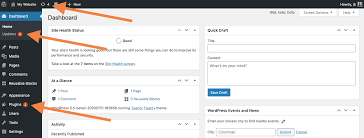
Tip: Subscribe to plugin security alerts to stay informed about weaknesses
2. Use Secure WordPress Hosting:
Your hosting provider plays a essential role in your websites security. Choose a host that offers:
• Server-level firewalls
• Daily backups
• DDoS protection
• Malware scanning tools
Look for host like SiteGround & WP Engine known for their security first infrastructure.
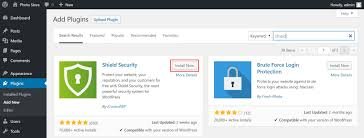
3. Install a WordPress Security Plugin:
A good security plugin is your first line of defense. We recommend:
• Wordfence (Firewall + Malware scanner)
• iThemes Security Pro
• Sucuri Security
These plugins monitor doubtful activity, block brute force login attempts & regularly scan for malware.
4. Use Strong Login Credentials:
Never use default usernames like admin and always create unique & complicated passwords. Enable:
• Two-Factor Authentication
• Login attempt limits
• ReCaptcha on login pages
using a tool like LastPass to manage & generate secure passwords.
5. Install an SSL Certificate:
An SSL certificate encrypts data between your user and server, reduce the risk of interference Google also
preference HTTPS sites in search rankings.
Most reliable hosts (like Digital Solution Xpert recommends) offer free SSL certificates via Let’s Encrypt.
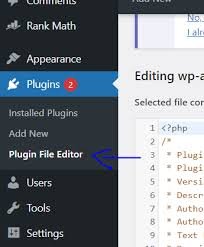
6. Disable File Editing in WordPress Dashboard:
Hackers can simply exploit the Theme Editors & Plugin Editors if they gain access to your dashboard Disable this by adding this line to your wp-config.php file
define(DISALLOW_FILE_EDIT, true);
7. Backup Your Site Regularly:
Always keep recent backups of your entire site. Use reliable plugins like:
• UpdraftPlus
• BlogVault
• Jetpack VaultPress
Schedule automatic Day by day backups to a secure cloud service like Google Drive.

8. Set Proper File Permissions:
File and directory approvals control who can read, write & execute files on your server. Set permissions as follows:
• Files: 644
• Folders: 755
• wp-config.php: 600
This limit what hackers can do even if they gain access.
Signs Your WordPress webSite Might Be Hacked:
Here are some red flags to watch out for:
• Sudden drop in traffic
• Unknown admin users
• Redirects to strange websites
• Google blacklisting or warnings
• Strange code in header or footer
• Unexpected changes in theme files
If you notice any of these, act instantly & contact security experts like Digital Solution Xpert to clean & restore your website.
What to Do If Your WordPress website is Already Hacked?
• Put your site in maintenance mode
• Backup current files and database
• Scan and clean your website using tools like Wordfence
• Change all passwords and user credentials
• Reinstall fresh themes and plugins
• Check for malicious users in the dashboard
• Submit a reconsideration request to Google if blacklisted
You can also reach out to professional malware removal services or connect with us for emergency support.
Final Thoughts: Secure Your WordPress website:
Website security is not one time fix its an ongoing process. With cyber threats
evolving daily its your responsibility as a website owner to stay ahead. By following these malware protection for WordPress strategies, you are not just preventing hacks you are protecting your brand, your users & your business growth.
if you Need to help securing your WordPress website?
Contact with DigitalSolutionXpert.com today for a complete website security audit, plugin optimization & malware cleanup services.